VMware costs rising? Here’s your exit strategy.
For decades, VMware has been the default choice for virtualization. It works, admins know it inside and out, and it has historically been reliable. But the landscape changed overnight with Broadcom’s acquisition of VMware.
The shift is drastic. We are seeing the end of perpetual licenses, a hard pivot to subscription-only models, and the bundling of products into expensive packages like VMware Cloud Foundation. For many organizations, this translates to a 3x to 5x increase in licensing costs.
If you are an IT director or senior admin staring at a renewal quote that blows your budget out of the water, you are likely asking two questions: “Do I really need to pay this?” and “Is there a viable alternative that won’t break my infrastructure?”
The answer to both is yes. One solution lies in a strategy that combines Microsoft Hyper-V with the replication power of Veeam.
The hidden cost of sticking with VMware
The frustration with the new VMware model isn’t just about the price tag; it’s about paying for shelfware. Broadcom’s simplified portfolio forces many businesses to buy massive bundles (like vSphere Foundation) just to get the basic virtualization features they need.
If you are running a standard virtualization environment, you are effectively being forced to pay for a premium suite of tools—many of which you might never deploy.
This is where the “VMware tax” becomes hard to justify. If your goal is simply to run VMs reliably and ensure they can fail over in a disaster, you are paying a premium for a brand name rather than functionality.
Why Hyper-V is the logical financial successor
The strongest argument for moving to Hyper-V is simple economics: you likely already own it.
Microsoft includes Hyper-V with Windows Server. The licensing model is straightforward, especially for Windows-heavy environments:
- Windows Server Standard: Great for low density (includes rights for 2 VMs).
- Windows Server Datacenter: The enterprise standard. It provides unlimited virtualization rights once the physical cores are licensed.
If you are already buying Windows Server Datacenter for your hosts, you are paying for Hyper-V whether you use it or not. By switching your hypervisor from vSphere to Hyper-V, you eliminate the VMware line item entirely while utilizing a license you already have.
The objection historically has been about features. “Hyper-V isn’t as good as vSphere.” While vSphere has undeniably robust features for massive scale, Hyper-V has matured significantly. For 95% of business use cases, it is feature-complete. It runs workloads, it clusters, and it handles resources effectively.
The gap hasn’t been the hypervisor itself—it has been the management and replication tools surrounding it. That is where Veeam comes in.
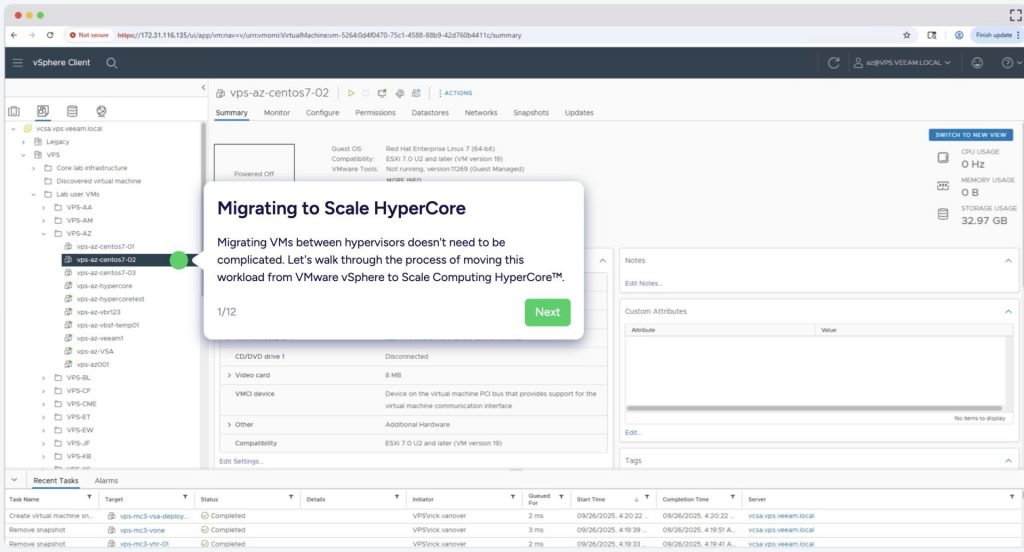
Restore VMware VM to Scale Computing: https://www.veeam.com/blog/veeam-scale-resilient-virtualization-sc-hypercore.html
Veeam: The bridge between VMware and Hyper-V
The fear of leaving VMware usually centers on losing tools like vMotion or Site Recovery Manager (SRM). Admins worry about how they will replicate VMs to a DR site or orchestrate a failover if they leave the VMware ecosystem.
Veeam bridges this gap. It provides the enterprise-grade replication and orchestration layer that Hyper-V native tools sometimes lack.
Fixing VM Replication
Veeam doesn’t care which hypervisor you use. It treats Hyper-V with the same “first-class citizen” status as VMware.
- Replication: Veeam handles replication from host to host. It creates an exact VM copy on your target Hyper-V host and keeps it in sync.
- Failover orchestration: If your primary site goes down, you can execute a failover through Veeam. It handles the heavy lifting, ensuring your business continuity plan works without needing expensive add-ons like SRM.
- Continuous Data Protection (CDP): For critical apps where you can’t afford to lose even minutes of data, Veeam’s CDP captures writes as they happen. If you get hit by ransomware, you can roll back to a specific moment in time—seconds before the infection—rather than relying on last night’s backup.
The Migration Engine
Veeam isn’t just for protection; it’s your migration tool. Because Veeam backups are portable, you can restore a VMware backup directly to Hyper-V.
This creates a low-risk migration path. You can stand up a Hyper-V environment (perhaps using older hardware or your DR site) and begin restoring production backups to it to test performance. You can validate that your SQL servers and web apps run correctly on Hyper-V without touching your live VMware environment. Of course, there’s a migratory pain point in these kinds of projects, but Volta is here to support you. We’ve helped other customers make the switch. You’re not alone!

The “Run and Protect” Strategy
Transitioning doesn’t have to be a “rip and replace” nightmare. A practical approach involves using your secondary infrastructure to prove the concept.
- Assess your licensing: specific to Windows Server Datacenter. Confirm that switching to Hyper-V allows you to drop the VMware subscription.
- Build the lifeboat: Convert your DR site or a segment of your infrastructure to Hyper-V.
- Replicate with Veeam: Use Veeam to replicate workloads from your production VMware environment to your new Hyper-V targets.
- Orchestrate the switch: Use Veeam Recovery Orchestrator. This tool is a game-changer. It can automatically translate and failover from VMware to Hyper-V. It automates the testing, documentation, and execution of the move.
This strategy commoditizes the hypervisor. You are pushing the intelligence up the stack to Veeam, which remains constant even as you swap out the expensive engine underneath.
Case Study: Volta’s Successful Transition for a School System
Volta recently completed a seamless migration project, transitioning a large school system from VMware to a combination of Veeam and Hyper-V. The school system was facing escalating costs with VMware’s infrastructure and needed a more cost-effective, scalable solution without compromising performance or reliability. Leveraging Veeam’s advanced migration tools and Hyper-V’s robust virtualization capabilities, Volta orchestrated a precise and efficient transition process.
The process incorporated comprehensive planning, including detailed assessments of the existing workloads and infrastructure. Using Veeam Backup and Recovery, Volta automated the migration and failover process, ensuring minimal downtime for critical school systems like student records, virtual learning platforms, and administrative applications. Post-migration, the school system reported improved performance, streamlined disaster recovery protocols, and significant cost savings, all while maintaining the reliability they depended on.
The Nuclear Option: OpenShift and Containerization
For some organizations, moving to Hyper-V feels like a lateral move—swapping one legacy virtualization tech for another. If your organization is heavily invested in development, custom applications, or future-proofed systems, this might be the time to look at Red Hat OpenShift.
OpenShift is the premier container platform. You probably already have OpenShift or another container platform being used by your Dev teams to host modern apps.
- Why consider it? If you have a DevOps team or are developing your own software, containers offer far more agility and density than VMs.
- The Virtualization bridge: OpenShift Virtualization allows you to run traditional VMs side-by-side with containers. This lets you bring your legacy “pets” (databases, old app servers) into the modern ecosystem while you slowly refactor them.
While OpenShift has a steeper learning curve than Hyper-V, it future-proofs your infrastructure. And just like with Hyper-V, Veeam supports OpenShift backups and replication, ensuring you don’t lose your safety net during the transition.
Stop paying the ransom
The Broadcom acquisition has forced the industry’s hand. You can accept the 300% price hike as the cost of doing business, or you can evaluate if your infrastructure actually requires it.
For the vast majority of businesses, a Hyper-V infrastructure protected by Veeam offers feature parity for replication and DR at a fraction of the cost. You get to keep your disaster recovery reliability, simplify your licensing stack, and free up budget for projects that drive innovation.
Don’t wait for the renewal notice to panic. Start testing your exit strategy today.
image site: https://happycamper84.medium.com/ditching-broadcom-hyper-v-server-live-migrations-3b41cf2a8830